

A split image is four files pretending to be one picture. That is the entire trick, and it keeps working because feeds reward anything that takes an extra half second to read.
You have seen it on X: a post with four tiles that lines up into one image, and tapping it reveals the part the preview cut off. On Instagram it shows up as a profile grid that assembles into a bigger picture across nine posts.
Neither is a new idea. Both keep performing because of something simpler than an algorithm.
What a split image actually is
One source image, cut into equal tiles, posted as separate files that the platform lays out in a grid.
The three common cuts:
- 2x2 grid. Four tiles, two by two. The default for X.
- Rows. Four horizontal strips. Good for a tall design or a timeline.
- Columns. Four vertical strips. Good for a wide panorama or a before and after sequence.
The Image Splitter does all three from the same drop area, and it numbers the output files by position so you know what goes first.
Why the format stops a scroll
Here is where most articles on this start quoting engagement percentages. Nobody outside the ranking teams at X or Meta knows the actual weights, and the people confidently telling you a split image gets "3x more engagement" did not run a controlled test either.
What we can say without making numbers up:
A grid asks a question. Two panels side by side implies a relationship. Before and after. Problem and fix. Your brain starts resolving it before deciding whether to keep scrolling.
Comparison is cheap to process. Reading a paragraph is work. Noticing that the left side is messy and the right side is clean is nearly free, and it lands in the time it takes to swipe past.
A cropped preview creates a small gap. When the feed shows part of an image, the missing part is a question. Tapping is a low cost answer.
None of that requires the platform to be doing anything special. It works because of how people scan, which is why the format has outlived several ranking changes.
Contrast gets the stop. The tap is a bonus, not the mechanism.
The tap the post trick on X, and how the crop works
X previews four attached images as a 2x2 block, and it crops that preview to fit the timeline. So the feed shows a tidy square version of your grid, and the full image only appears when someone taps.
That gives you two surfaces to design for:
- The preview. Has to be interesting enough to earn the tap.
- The full image. Has to reward it.
The classic version hides the punchline in the part that gets cropped. The failure version hides the punchline and the preview is boring, so nobody taps and the post reads as four random squares.
Tap the Post (X) is the Image Splitter locked to the 2x2 preset X wants, with the posting order shown on screen so the tiles do not end up shuffled.
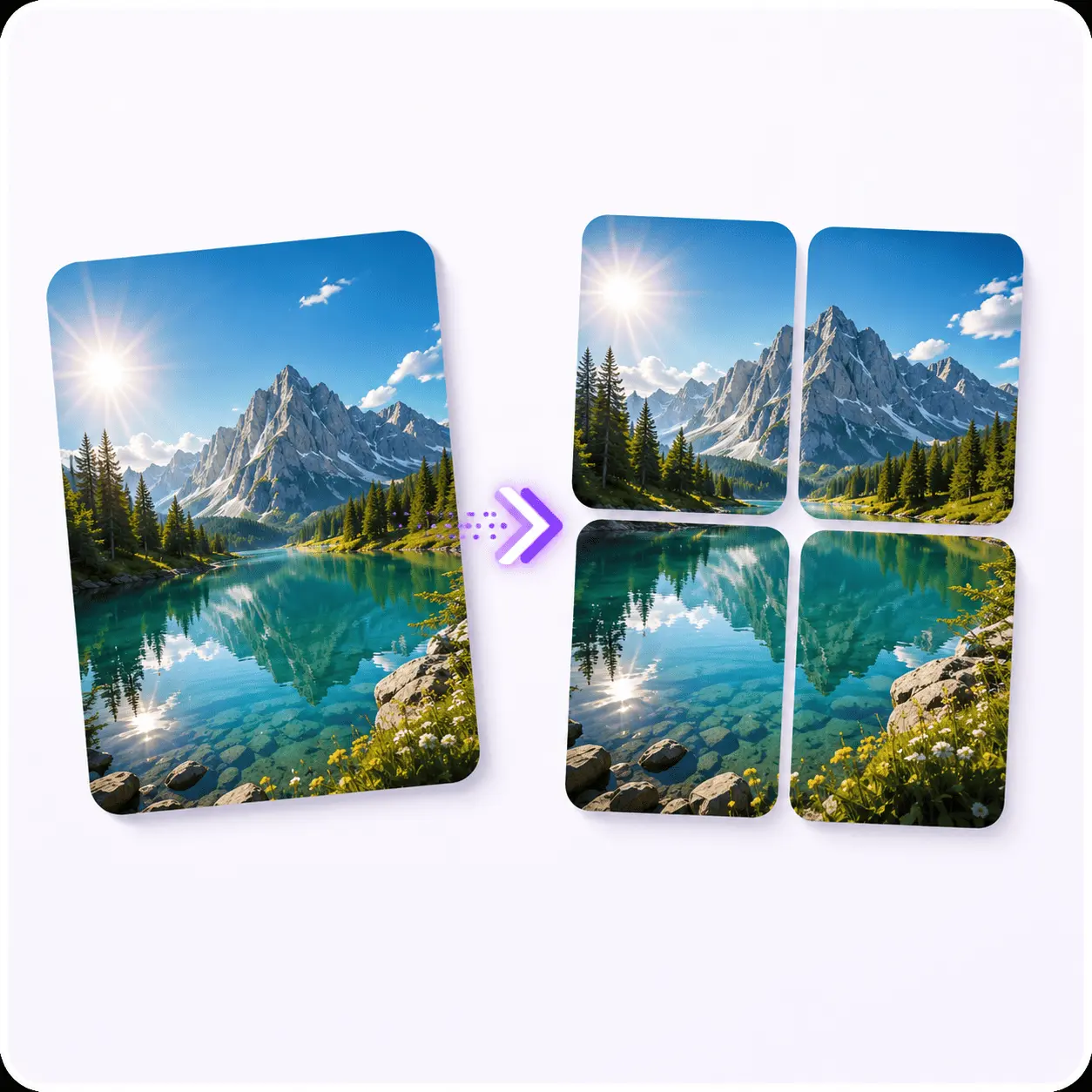
Tap the Post (X)
The splitter locked to the 2x2 grid X wants, with the attach order on screen.
How to post a 4 tile image on X
Start square
2160x2160 gives you four 1080x1080 tiles, which is the size that survives the feed.
Split it 2x2
Drop the file into Tap the Post (X) and download all four tiles.
Attach all four to one post
Not four separate posts. One post, four images.
Attach in the order the filenames give you
X fills the grid top left, top right, bottom left, bottom right.
Write a caption that does not explain the image
If the caption gives away the reveal, there is nothing to tap for.
Instagram puzzle feeds: same trick, different math
Instagram profiles are three wide, not two. So a puzzle feed needs multiples of three, and the Image Splitter's row and column layouts are what you want rather than the 2x2.
Two things trip people up:
Order is reversed. Your newest post goes top left. So the last tile you post is the first one people see, and you have to upload the grid backwards.
Every tile is also a post. Someone tapping tile 7 sees only tile 7. If it is a meaningless slice of a bigger picture, that is a bad post with your name on it. Worth skimming Instagram's guidance on photo quality before committing to a nine post grid, since re-uploading one tile later is not really an option.
That second one is why most puzzle feeds get abandoned halfway. It is a real commitment, not a one afternoon experiment.
What actually makes one flop
Survives the feed
- A source where the two halves look obviously different at thumbnail size
- Text sitting inside a single tile with margin to spare
- A square source cut into a square grid
- Tiles attached in filename order
- A reveal worth the tap
- 2160x2160 or larger to start with
Dies in the feed
- Low contrast, so there is nothing to compare
- A word cut in half across a seam, unreadable in feed
- A non-square source, cropped twice and losing its edges
- Wrong order, which is unrecoverable once posted
- A payoff that teaches people not to tap next time
- A small source, where each quarter shows its compression
Is it still working in 2026?
Partly. Being honest about this is more useful than hyping it.
The four tile reveal on X is no longer novel, and audiences that have seen it fifty times do not tap on reflex anymore. What still works is the underlying thing: a layout that puts two states next to each other and lets someone get the point without reading.
So use it where the comparison is real. Before and after, old way and new way, four angles of the same product. Use it as a gimmick with nothing behind it and the format cannot save the post.
The other thing that has not changed: it takes 20 seconds. A format that cheap does not need to work every time to be worth keeping in rotation.
Frequently asked questions
How do I post 4 pictures as one image on X?
Split one image into a 2x2 grid, then attach all four tiles to a single post. X lays four attached images out as a 2x2 preview, so they reassemble into your original picture. Tap the Post (X) does the split on the right preset and shows you the attach order.
What is the tap the post trick?
You attach four tiles that look like one image in the feed preview, but tapping reveals what the cropped preview was hiding. The reveal is the payoff, so the preview has to be interesting on its own and the full image has to be worth the tap.
Do split images actually get more engagement?
No platform publishes its ranking weights, so anyone quoting you a percentage is guessing. What is observable is that a grid takes longer to read than a single photo, and formats that invite comparison tend to draw replies. Treat it as a format worth testing, not a guaranteed multiplier.
How do I make an Instagram puzzle feed?
Puzzle feeds use the three wide profile grid, so you need multiples of three, not four. Split a tall design into columns or rows, then post the pieces in reverse order, because your newest post lands top left.
Does splitting an image lose quality?
No. Each tile is cut from the original pixels and keeps your original file format. A tile is about a quarter of the source resolution, because it is a quarter of the picture, so start from a large source if you want crisp tiles.
What size should each tile be?
Aim for 1080x1080 per tile, which means a 2160x2160 source for a 2x2 split. Below that, the platform's own compression starts showing on text edges.
The fastest way to find out whether this works for your audience is to post one. It costs 20 seconds and one idea you already had.
Tap the Post (X)
The splitter locked to the 2x2 preset X wants, with the attach order on screen so the tiles cannot end up shuffled.

