

The average scroll-stopping image in your feed took about 40 seconds to make. Not 40 minutes, and definitely not a Saturday afternoon in a design app with 60 tools you have never clicked.
That gap is the whole point of this guide. Most advice about how to create trendy images for social media talks about color theory and fonts. In practice, the posts that perform are usually one photo cut into a grid, or four photos stitched into one, sized correctly and posted in the right order.
Those are chores, not design. Here is how to do them fast.
Why most "trendy image" advice wastes your time
Open any guide on this topic and you will get told to mind your visual hierarchy and pick an accent color. That advice is not wrong, it is just aimed at someone designing a brand, not someone trying to publish today.
The actual bottleneck for most people posting is much dumber:
- The image is the wrong shape for the platform and gets cropped badly
- Cutting it into even pieces by hand is fiddly and the seams do not line up
- The tiles come out of the export in the wrong order and get posted scrambled
- The tool that would fix it wants an account, an upload, and a subscription
None of that is a taste problem. It is a plumbing problem, and plumbing problems have tools.
The three image jobs that actually come up
Track what you actually do to images before posting for a week and it collapses into three verbs:
- Split. One image becomes several tiles. Carousels, puzzle feeds, the four tile reveal on X.
- Merge. Several images become one. Before and after, 2x2 product angles, comparison boards.
- Grab. Pull an existing image down to study or reference it, like a competitor's YouTube thumbnail.
Everything else is either real design work, which deserves a real design app, or file admin like converting and compressing.
How to split an image into 4 parts for Instagram
This is the single most common job, so it is worth doing precisely.
Start with a square source
2160x2160 is the sweet spot, because a 2x2 split leaves each tile at exactly 1080x1080, which is Instagram's native size.
Open the Image Splitter and drop the file in
Nothing uploads. The cut happens on a canvas inside your browser tab. Open it here.
Pick your layout
Grid gives you a 2x2. Rows gives you four horizontal strips. Columns gives you four vertical ones.
Download
Every file comes out numbered by position, so tile 1 is genuinely the first one you post.
Post in order, oldest first
That way the grid assembles the way you drew it.
The numbering matters more than it sounds. Posting a puzzle grid out of order is the most common way these posts fail, and it is unrecoverable once it is live.
Size the source so the tiles land at 1080x1080, and let the filenames tell you the posting order.
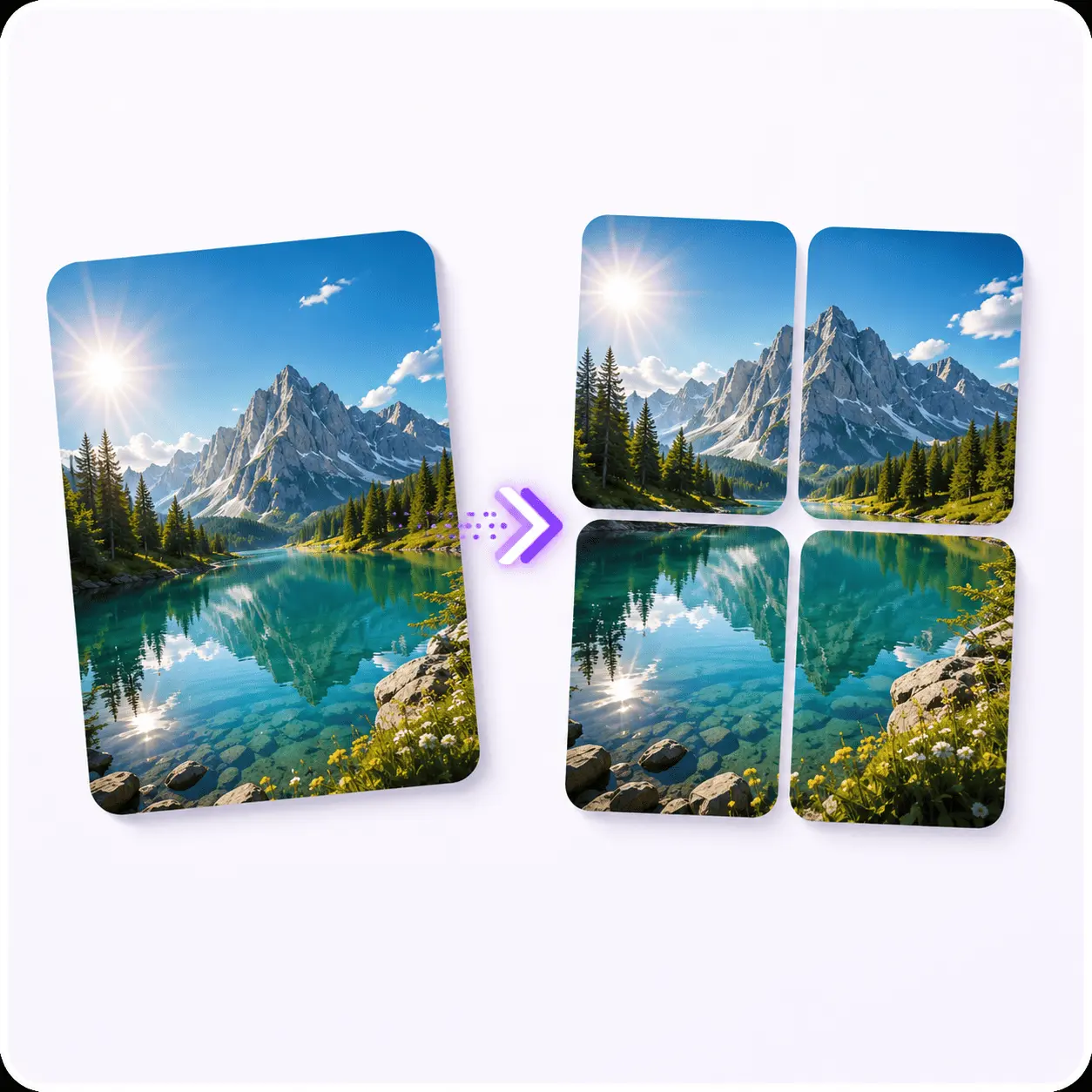
Image Splitter
Cuts one image into numbered tiles, so the posting order comes with them.
How to make a 2x2 grid photo without a design app
A 2x2 grid post comes in two flavors and people mix them up constantly.
One image cut into four is a split
You want the Image Splitter with the grid layout. Use it when the four tiles are meant to reassemble into a single picture.
Four images combined into one is a merge
You want the Image Merger. Use it for before and after shots, four product angles, or a comparison board where each cell is its own picture.
The merger takes as many images as you like and arranges them as a grid, a row, a column or a collage. It needs a free account before the first download, which the splitter does not.
Picking sizes: what each platform actually wants
You do not need a spreadsheet of every dimension. You need one square source and an idea of how it gets cropped.
| Where | Aim for | Notes |
|---|---|---|
| Instagram feed | 1080x1080 | Square is the safe default. A 2160x2160 source splits into four perfect tiles. |
| Instagram carousel | 1080x1350 per slide | Portrait uses more vertical space in feed. Split by columns for a wide design. See Instagram's own notes on photo quality. |
| X (Twitter) | 1200x675 single, square for tiles | Four square tiles is the layout X crops cleanly. |
| LinkedIn carousel | 1080x1350 | Upload the slices in order as a document or an image set. |
If you only remember one number, remember 1080. Everything else is a variation on it.
Merging four shots into one image
The reverse job is just as common and gets less attention. Four separate photos, one post.
Where it earns its keep:
- Product listings that need four angles in a single image
- Before and after, side by side, so nobody has to swipe to see the point
- A comparison board of thumbnails or screenshots you are analyzing
- A 2x2 collage of moments from one event
Drop two or more images into the Image Merger, pick grid, row, or column, and download. Like the splitter, the work happens in your browser rather than on a server.
The 60-second workflow
Put together, a full publish looks like this:
- Pick the format before you pick the image. Split, merge, or single.
- Get the source to a square if you are splitting.
- Run it through the tool. 20 seconds.
- Check tile order against the filenames.
- Post, note what happens, and reuse the format that worked.
The last step is the one people skip. A format that worked once is worth repeating for a month before you go looking for a new one.
Mistakes that make a good image land badly
- Splitting a non-square source for a square grid. The tiles come out rectangular and Instagram crops them again, cutting off whatever you centered.
- Text near the seams. A word split across two tiles is unreadable in feed and only resolves if someone taps through.
- Posting tiles newest first. Feeds display in reverse, so the grid assembles backwards.
- Converting to JPG for a screenshot. Text and flat UI colors go blotchy, because JPG compression was designed for photographs. web.dev's rundown on picking an image format is the short version. Keep screenshots as PNG, and note that the splitter preserves whatever format you gave it.
- Chasing a new format every week. Repetition is what makes a grid post recognizable as yours.
What Piknova does today, and what it does not
Being straight about this saves you a trip.
Live right now:
- Image Splitter: one image into 4 tiles, as a grid, rows, or columns
- Image Merger: any number of images into one
- YouTube Thumbnail Downloader: thumbnails up to 1280x720, no account
- Tap the Post (X): the splitter preset for X's four tile reveal, with posting order on screen
Not built yet, with the dates we are aiming at:
- PNG to JPG and JPG to PNG converters, August 2026
- Image compressor, image resizer, and batch resize, September 2026
Not planned at all: background removal, screenshot editing, video editing. Those need a full editing engine, which is a different product.
So if you came here to compress a 6MB export, we cannot help you yet, and pretending otherwise would just waste your time.
Frequently asked questions
How do I split an image into 4 parts for Instagram?
Open the Image Splitter, drop your image in, choose the 2x2 grid layout, and download. You get four numbered tiles, and the numbering tells you the posting order. It runs in your browser, so the file is never uploaded anywhere.
Can I cut a picture into 4 equal parts online for free?
Yes, with no limit and no account. The splitter is free for every download, there is no watermark on the tiles at any size, and the split runs in your browser, so the image is never uploaded anywhere.
Does splitting an image reduce its quality?
No. Each tile is drawn from the original pixels on a canvas rather than being resized first, and your original format is preserved, so a PNG goes in and PNG tiles come out. Each tile is about a quarter of the source resolution, because it is a quarter of the source image.
What size should a social media image be in 2026?
Square at 1080x1080 is the safest single answer, and it works on Instagram, X, and LinkedIn. Post a 2160x2160 source through a 2x2 split and each tile lands at exactly 1080x1080.
Do I need Photoshop to make a grid post?
Not for a straight split or merge. A full editor earns its place when you are compositing, retouching, or working in layers. Cutting one image into four tiles does not need one.
Can I merge several photos into one image?
Yes, up to four at a time with the Image Merger, as a grid, a row, or a column. It asks for a free account before the first download.
Pick one image you were going to post flat, and cut it into a grid instead. It takes about 20 seconds and you will know by tomorrow whether the format is worth keeping.
Image Splitter
One image into four tiles, numbered by position so the posting order comes with them.

